> ## Documentation Index
> Fetch the complete documentation index at: https://docs.uplifthub.io/llms.txt
> Use this file to discover all available pages before exploring further.
# Line item tabs
> What each tab on a line item does — Overview, Brief, Creatives, Evidence, Reporting, Comments, History, and Settings.
export const Pill = ({tone = "live", children}) =>
{children}
;
export const Ui = ({children}) =>
{children}
;
Every line item has eight tabs running across the top of the screen. This page explains what lives in each one and when to use it.
***
## Overview
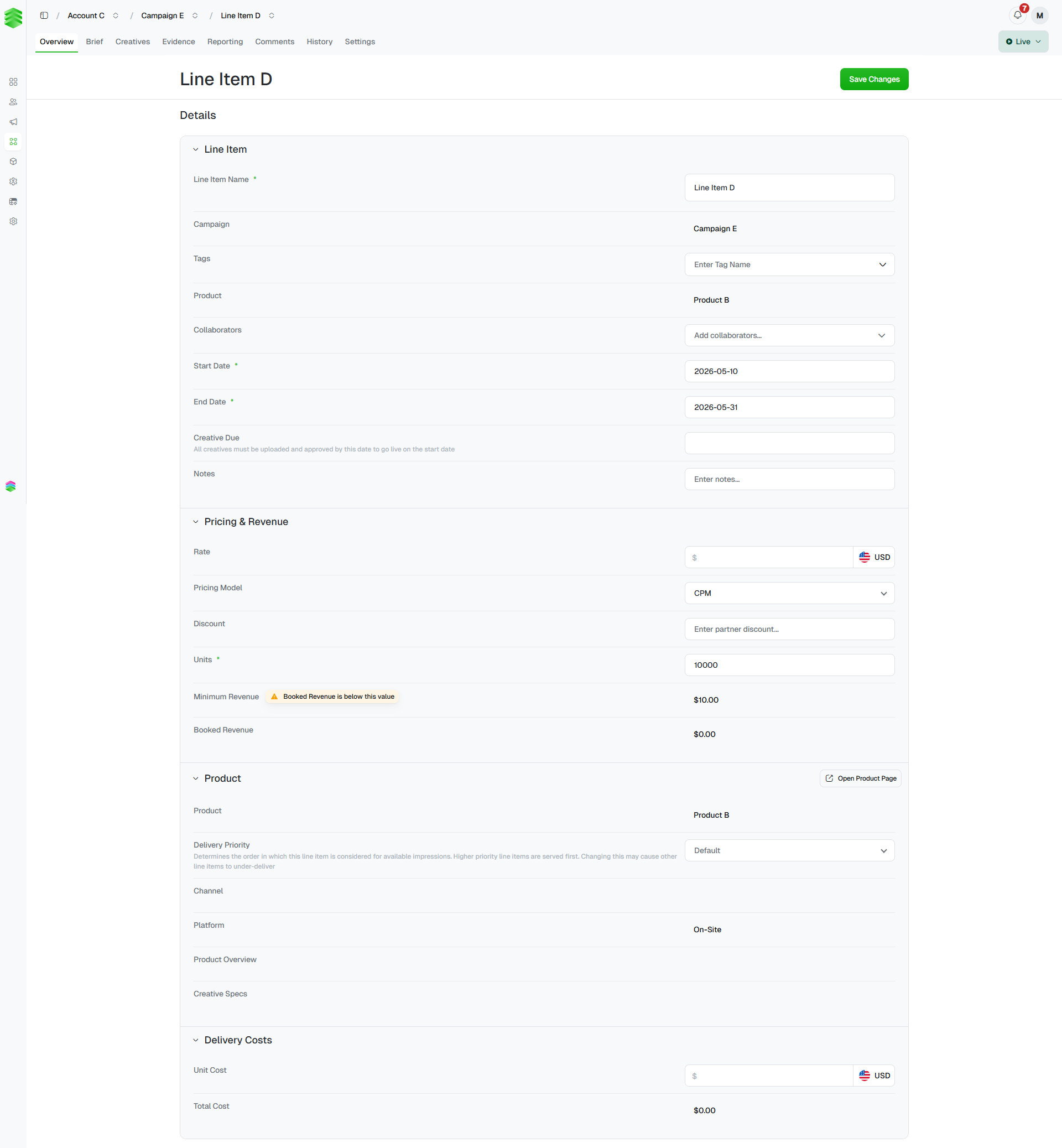
The default view when you open a line item. The form is split into four collapsible sections — **Line Item**, **Pricing & Revenue**, **Product**, and **Delivery Costs**. Click Save Changes in the top right to persist any edits.
 ### Line Item
| Field | Notes |
| -------------------- | ----------------------------------------------------------------------------------------------- |
| **Line Item Name** | The name as it appears in the campaign line items table. |
| **Campaign** | The parent campaign. Read-only after creation. |
| **Tags** | Apply tags to group and filter this line item across the platform. |
| **Product** | The ad product being delivered. Read-only after creation. |
| **Collaborators** | Team members to notify on status changes. |
| **Start / End Date** | The flight dates for this line item. |
| **Creative Due** | The deadline by which all creatives must be uploaded and approved to go live on the start date. |
| **Notes** | Free-text field for targeting requirements, prioritisation notes, or links to the brief. |
### Pricing & Revenue
| Field | Notes |
| ------------------- | ------------------------------------------------------------------------------------- |
| **Rate** | The price per unit charged to the client. |
| **Pricing Model** | How the line item is charged — CPM, CPC, flat fee, etc. |
| **Discount** | An optional partner discount applied to the rate. |
| **Units** | The volume being sold — impressions, clicks, or other unit depending on the product. |
| **Minimum Revenue** | A floor value for this line item. A warning appears if Booked Revenue falls below it. |
| **Booked Revenue** | Calculated automatically from rate, units, and discount. |
### Product
Read-only information pulled from the product catalogue — the product name, delivery priority, channel, platform, product overview, and creative specs. Click Open Product Page to view the full product record.
**Delivery Priority** is editable here. It determines the order in which this line item competes for available impressions — higher priority line items are served first. Changing this may cause other line items to under-deliver.
### Delivery Costs
The cost to the publisher or operator to deliver this line item — for example, third-party ad serving fees or platform costs. These are separate from the client-facing rate.
| Field | Notes |
| -------------- | -------------------------------------------------- |
| **Unit Cost** | The cost per unit to fulfil this line item. |
| **Total Cost** | Calculated automatically from unit cost and units. |
***
## Brief
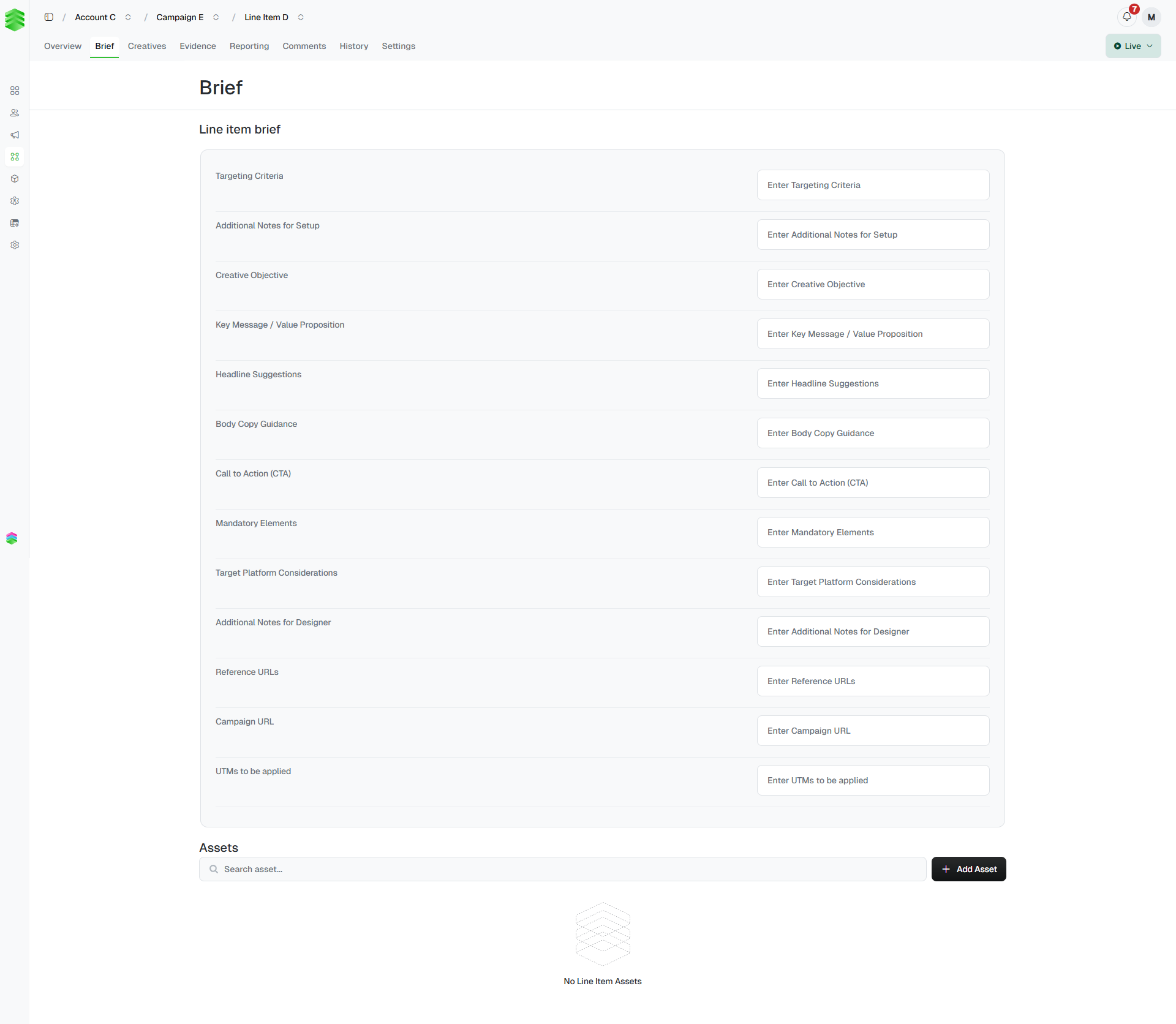
The **Brief** tab holds the creative and targeting brief for this specific line item — the instructions the design team needs to build the ad. Fill these fields in before creatives are built.
### Line item brief fields
| Field | Notes |
| ----------------------------------- | ------------------------------------------------------------------------ |
| **Targeting Criteria** | The specific targeting parameters for this line item. |
| **Additional Notes for Setup** | Any technical or platform setup notes. |
| **Creative Objective** | What this ad is trying to achieve. |
| **Key Message / Value Proposition** | The main message the ad should communicate. |
| **Headline Suggestions** | Suggested headline copy for the creative. |
| **Body Copy Guidance** | Guidance on tone and content for the ad body text. |
| **Call to Action (CTA)** | The desired CTA text (e.g. "Book Now", "Find Out More"). |
| **Mandatory Elements** | Any elements that must appear in the creative — logos, disclaimers, etc. |
| **Target Platform Considerations** | Any platform-specific requirements (e.g. mobile-first, dark mode). |
| **Additional Notes for Designer** | Anything else the designer needs to know. |
| **Reference URLs** | Links to inspiration, competitor ads, or brand guidelines. |
| **Campaign URL** | The destination URL for this line item's ad. |
| **UTMs to be applied** | The UTM parameters to append to the campaign URL for tracking. |
### Assets
Below the brief fields, the **Assets** section stores client-supplied files linked specifically to this line item — images, logos, or any other assets the designer needs. Click + Add Asset to upload.
### Line Item
| Field | Notes |
| -------------------- | ----------------------------------------------------------------------------------------------- |
| **Line Item Name** | The name as it appears in the campaign line items table. |
| **Campaign** | The parent campaign. Read-only after creation. |
| **Tags** | Apply tags to group and filter this line item across the platform. |
| **Product** | The ad product being delivered. Read-only after creation. |
| **Collaborators** | Team members to notify on status changes. |
| **Start / End Date** | The flight dates for this line item. |
| **Creative Due** | The deadline by which all creatives must be uploaded and approved to go live on the start date. |
| **Notes** | Free-text field for targeting requirements, prioritisation notes, or links to the brief. |
### Pricing & Revenue
| Field | Notes |
| ------------------- | ------------------------------------------------------------------------------------- |
| **Rate** | The price per unit charged to the client. |
| **Pricing Model** | How the line item is charged — CPM, CPC, flat fee, etc. |
| **Discount** | An optional partner discount applied to the rate. |
| **Units** | The volume being sold — impressions, clicks, or other unit depending on the product. |
| **Minimum Revenue** | A floor value for this line item. A warning appears if Booked Revenue falls below it. |
| **Booked Revenue** | Calculated automatically from rate, units, and discount. |
### Product
Read-only information pulled from the product catalogue — the product name, delivery priority, channel, platform, product overview, and creative specs. Click Open Product Page to view the full product record.
**Delivery Priority** is editable here. It determines the order in which this line item competes for available impressions — higher priority line items are served first. Changing this may cause other line items to under-deliver.
### Delivery Costs
The cost to the publisher or operator to deliver this line item — for example, third-party ad serving fees or platform costs. These are separate from the client-facing rate.
| Field | Notes |
| -------------- | -------------------------------------------------- |
| **Unit Cost** | The cost per unit to fulfil this line item. |
| **Total Cost** | Calculated automatically from unit cost and units. |
***
## Brief
The **Brief** tab holds the creative and targeting brief for this specific line item — the instructions the design team needs to build the ad. Fill these fields in before creatives are built.
### Line item brief fields
| Field | Notes |
| ----------------------------------- | ------------------------------------------------------------------------ |
| **Targeting Criteria** | The specific targeting parameters for this line item. |
| **Additional Notes for Setup** | Any technical or platform setup notes. |
| **Creative Objective** | What this ad is trying to achieve. |
| **Key Message / Value Proposition** | The main message the ad should communicate. |
| **Headline Suggestions** | Suggested headline copy for the creative. |
| **Body Copy Guidance** | Guidance on tone and content for the ad body text. |
| **Call to Action (CTA)** | The desired CTA text (e.g. "Book Now", "Find Out More"). |
| **Mandatory Elements** | Any elements that must appear in the creative — logos, disclaimers, etc. |
| **Target Platform Considerations** | Any platform-specific requirements (e.g. mobile-first, dark mode). |
| **Additional Notes for Designer** | Anything else the designer needs to know. |
| **Reference URLs** | Links to inspiration, competitor ads, or brand guidelines. |
| **Campaign URL** | The destination URL for this line item's ad. |
| **UTMs to be applied** | The UTM parameters to append to the campaign URL for tracking. |
### Assets
Below the brief fields, the **Assets** section stores client-supplied files linked specifically to this line item — images, logos, or any other assets the designer needs. Click + Add Asset to upload.
 ***
## Creatives
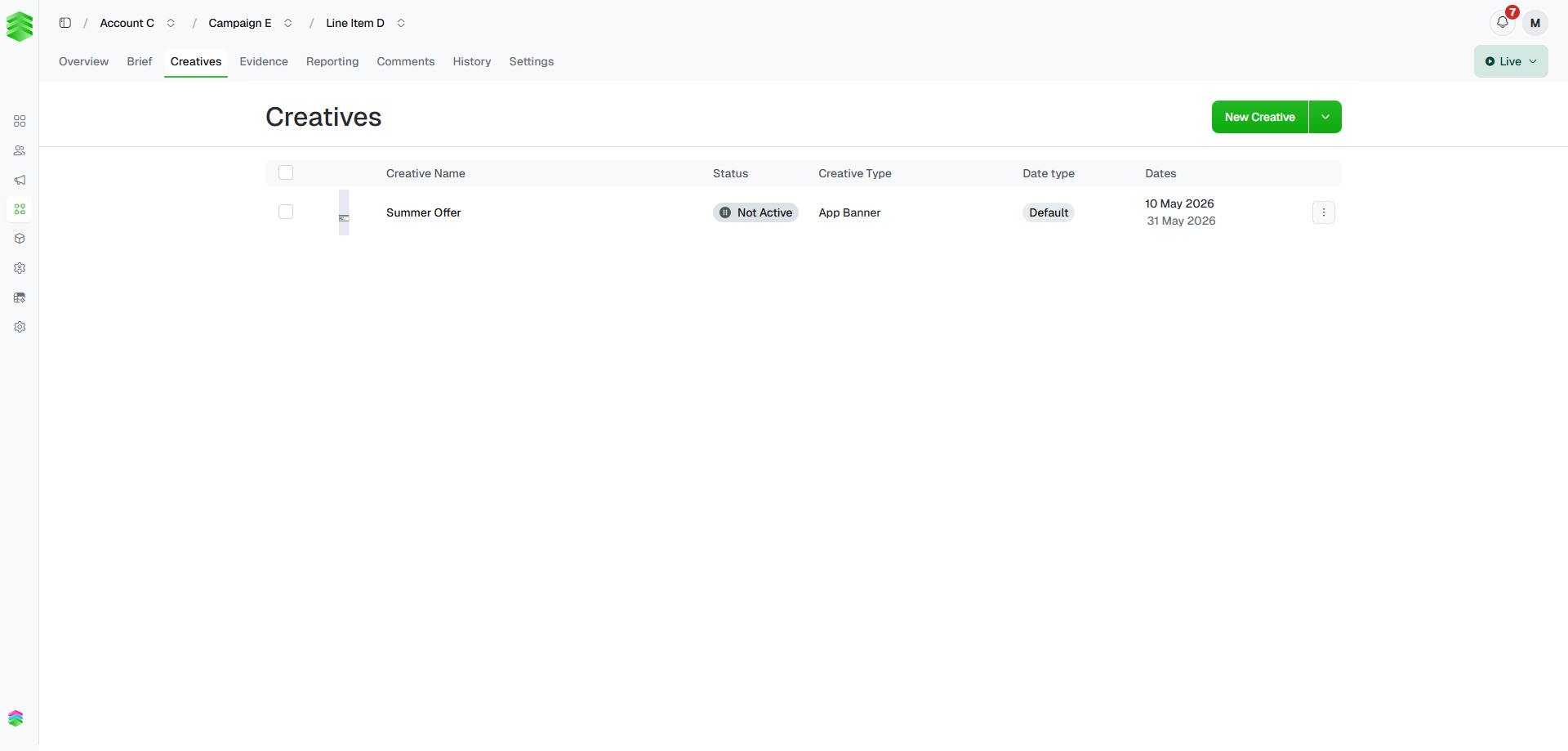
Lists all creatives attached to this line item, each showing its name, status, creative type, date type, and flight dates. Click New Creative to add one, or click any row to open the creative detail page.
The dropdown arrow next to New Creative gives access to bulk actions on selected creatives.
***
## Creatives
Lists all creatives attached to this line item, each showing its name, status, creative type, date type, and flight dates. Click New Creative to add one, or click any row to open the creative detail page.
The dropdown arrow next to New Creative gives access to bulk actions on selected creatives.
 See [Adding creatives](/creatives/add) and [Building creatives](/creatives/build) for the full creative workflow.
***
## Evidence
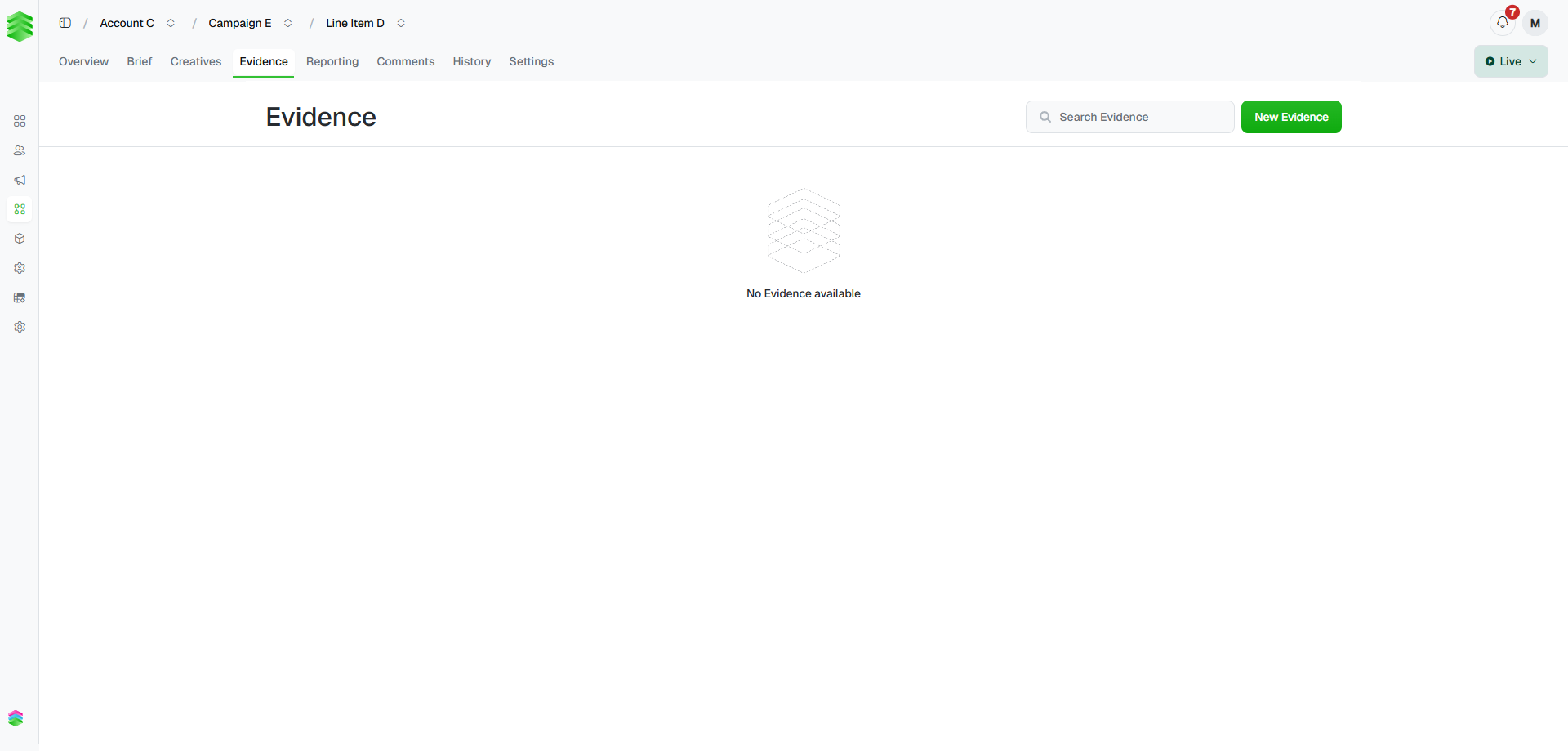
Store screenshots of this line item's ads appearing in situ — proof that it went live and delivered as booked. Click New Evidence to upload a screenshot. Use the search bar to find evidence already uploaded.
Evidence uploaded here is also visible in the rolled-up **Evidence** tab on the parent campaign.
See [Adding creatives](/creatives/add) and [Building creatives](/creatives/build) for the full creative workflow.
***
## Evidence
Store screenshots of this line item's ads appearing in situ — proof that it went live and delivered as booked. Click New Evidence to upload a screenshot. Use the search bar to find evidence already uploaded.
Evidence uploaded here is also visible in the rolled-up **Evidence** tab on the parent campaign.
 ***
## Reporting
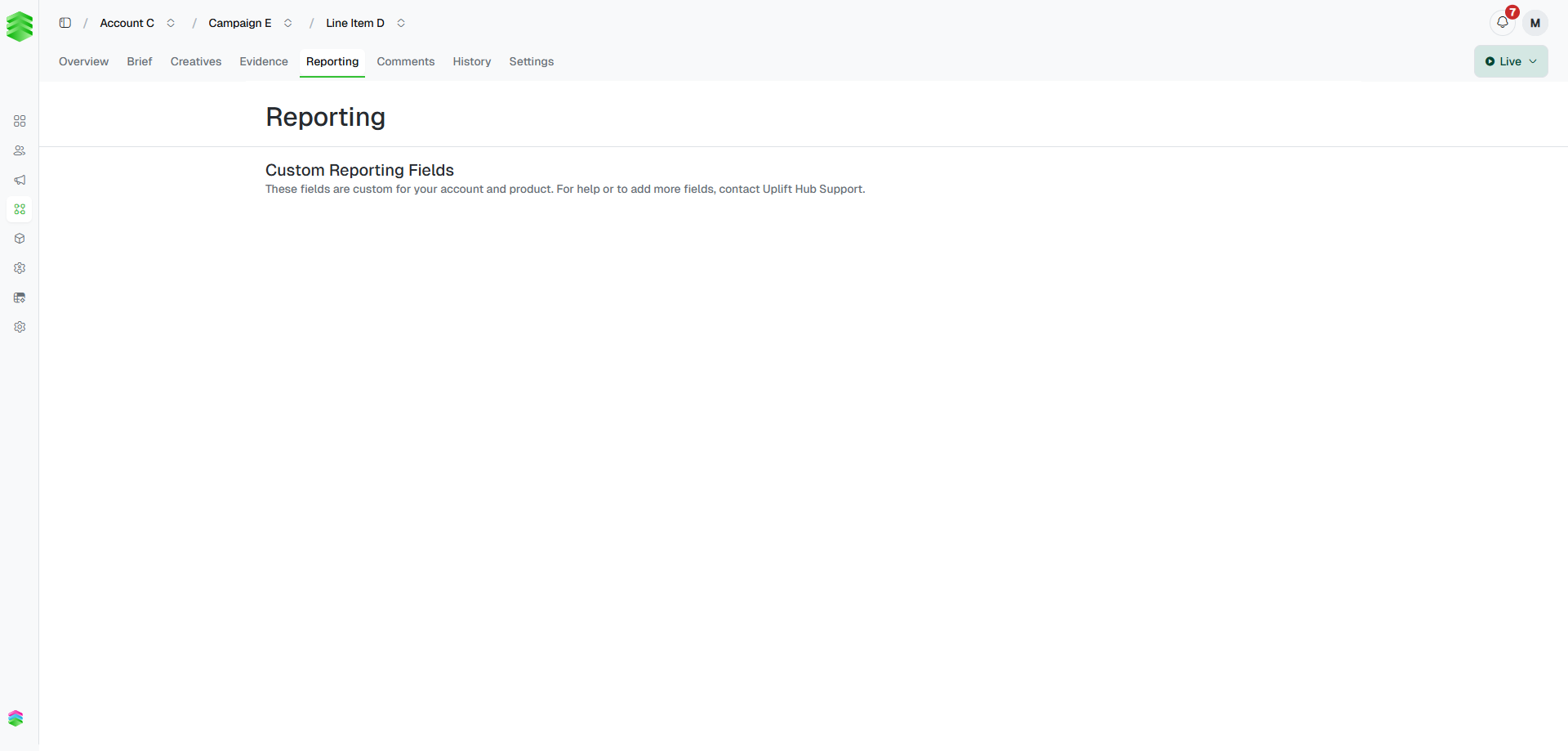
Shows **Custom Reporting Fields** — fields configured specifically for your account and product. These are used for manual reporting on line items that don't have automated delivery data via Uplift Ads or Uplift Ads+.
The fields available here vary by product and workspace. To add or change reporting fields, contact [support@uplifthub.io](mailto:support@uplifthub.io).
***
## Reporting
Shows **Custom Reporting Fields** — fields configured specifically for your account and product. These are used for manual reporting on line items that don't have automated delivery data via Uplift Ads or Uplift Ads+.
The fields available here vary by product and workspace. To add or change reporting fields, contact [support@uplifthub.io](mailto:support@uplifthub.io).
 For line items delivered via Uplift Ads or Uplift Ads+, performance data (impressions, clicks, CTR, pacing) appears on the campaign-level **Reporting** tab instead. See [Tracking performance](/reporting/tracking).
***
## Comments
A shared comment thread for this line item. Two modes are available via the toggle in the top right:
* **Client Comments** — the standard comment thread for the team. Use this for day-to-day notes, questions, and approvals.
* **Internal Comments** — restricted to super admins only. Use this for notes that should not be visible to the wider team.
Use **@mentions** to notify specific teammates or your Platform 195 representative directly. Comments support rich text formatting up to 500 characters per message.
For line items delivered via Uplift Ads or Uplift Ads+, performance data (impressions, clicks, CTR, pacing) appears on the campaign-level **Reporting** tab instead. See [Tracking performance](/reporting/tracking).
***
## Comments
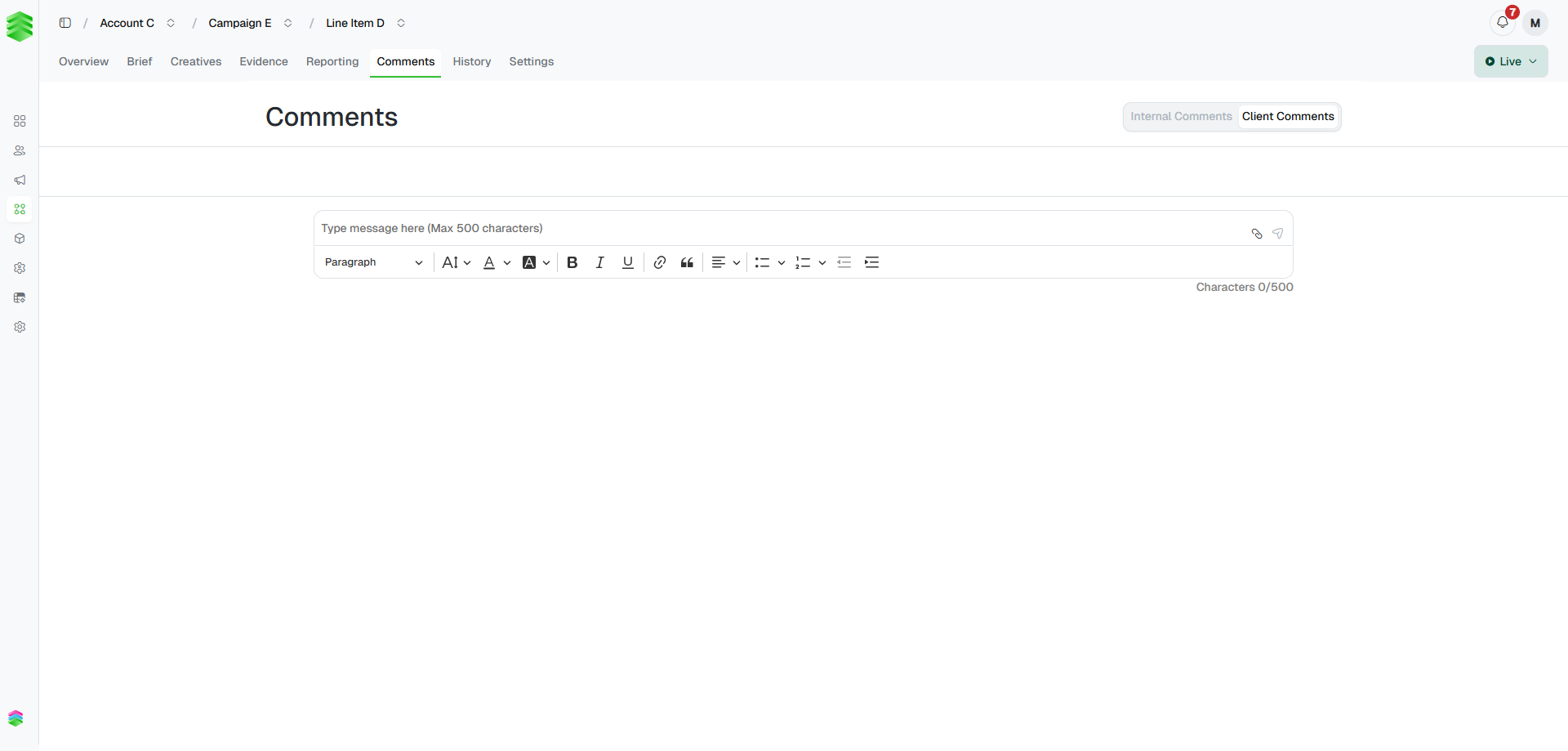
A shared comment thread for this line item. Two modes are available via the toggle in the top right:
* **Client Comments** — the standard comment thread for the team. Use this for day-to-day notes, questions, and approvals.
* **Internal Comments** — restricted to super admins only. Use this for notes that should not be visible to the wider team.
Use **@mentions** to notify specific teammates or your Platform 195 representative directly. Comments support rich text formatting up to 500 characters per message.
 ***
## History
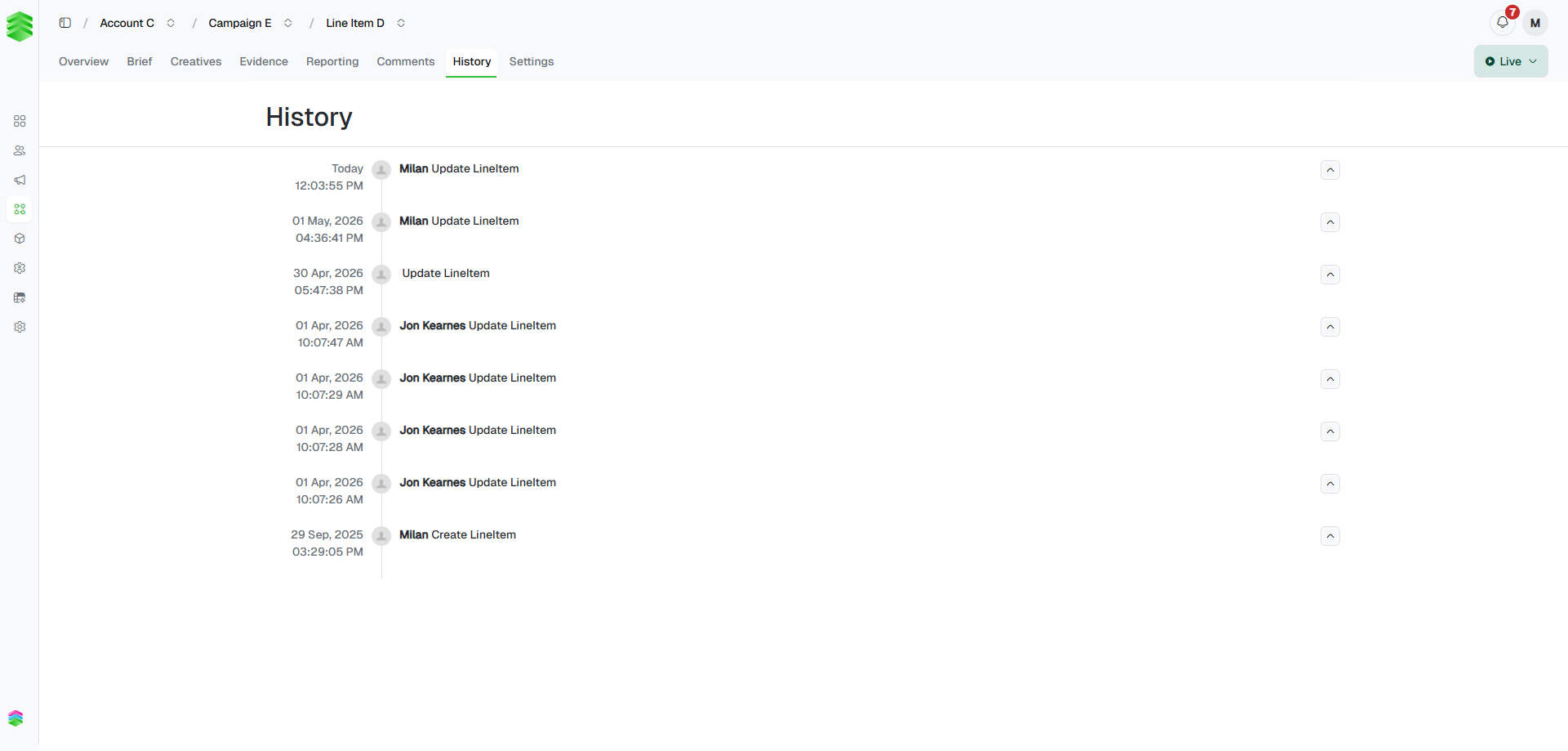
A full chronological log of every change made to this line item — who did what and when. Each entry shows the timestamp, user, and action. Click the chevron on any entry to expand it and see which fields changed and what they changed from and to.
***
## History
A full chronological log of every change made to this line item — who did what and when. Each entry shows the timestamp, user, and action. Click the chevron on any entry to expand it and see which fields changed and what they changed from and to.
 ***
## Settings
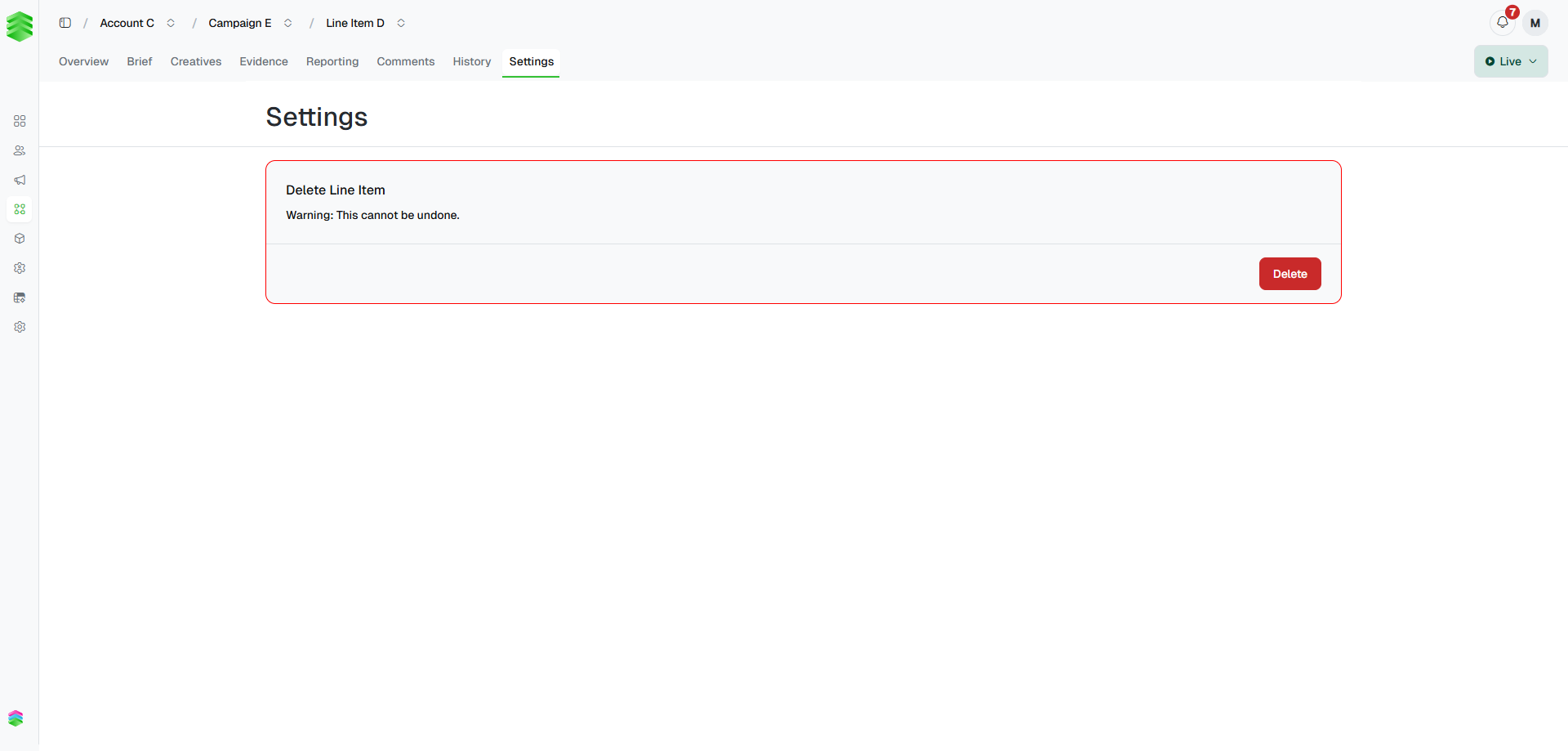
Contains the **Delete Line Item** action. Deleting a line item is permanent and removes all associated creatives and evidence.
**Deletion cannot be undone.** All creatives, evidence, and history for this line item will be permanently removed. If you need to stop a line item from delivering without deleting it, change its status to Paused instead.
***
## Settings
Contains the **Delete Line Item** action. Deleting a line item is permanent and removes all associated creatives and evidence.
**Deletion cannot be undone.** All creatives, evidence, and history for this line item will be permanently removed. If you need to stop a line item from delivering without deleting it, change its status to Paused instead.