> ## Documentation Index
> Fetch the complete documentation index at: https://docs.uplifthub.io/llms.txt
> Use this file to discover all available pages before exploring further.
# Client configuration
> Set up the lists, presets and integrations your whole team uses in Uplift Hub.
export const Ui = ({children}) =>
{children}
;
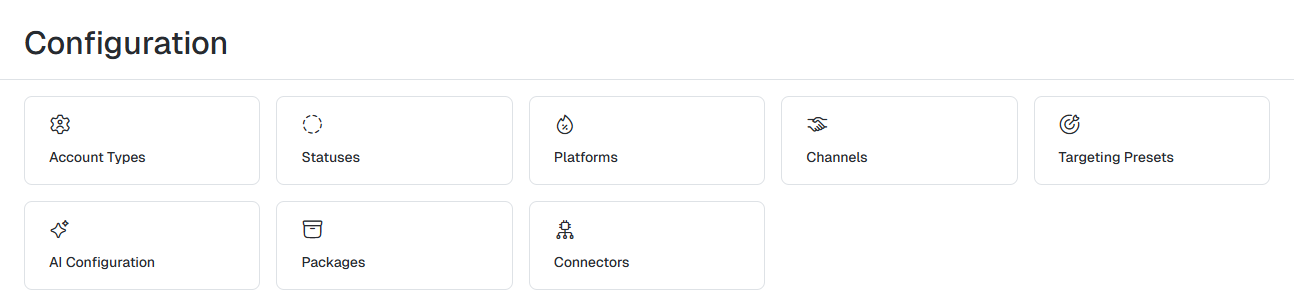
**Configuration** is where you manage the settings shared across your whole
client account — the options people pick from when they create accounts,
campaigns, line items and creatives. Changes here apply to everyone on your
account, so make them deliberately.
 ***
## Who can use it
Users with the **ClientCampaignManager** role can open Configuration
in the left sidebar. Other client roles don't see it. See
[User roles](/setup/roles) for the full permission list.
***
## Opening configuration
Select Configuration at the bottom of the left sidebar.
Click the tile for the area you want to manage. Use the breadcrumb at the
top of the page to return to the **Configuration** screen.
***
## What you can configure
Categorise the advertisers on your accounts — for example, hotels or tourist boards.
The platforms your products are delivered on, such as on-site or social.
The sales or delivery channels you report against.
Reusable targeting rules for line items and creatives.
Language, tone of voice and model settings for AI-generated copy and briefs.
Connect ad platforms and AI providers to Uplift Hub.
Configuration is set per client. If you work across more than one client,
check the client name at the top of the sidebar before you make changes.
This documentation is built and hosted on [Mintlify](https://mintlify.com), a developer documentation platform.
***
## Who can use it
Users with the **ClientCampaignManager** role can open Configuration
in the left sidebar. Other client roles don't see it. See
[User roles](/setup/roles) for the full permission list.
***
## Opening configuration
Select Configuration at the bottom of the left sidebar.
Click the tile for the area you want to manage. Use the breadcrumb at the
top of the page to return to the **Configuration** screen.
***
## What you can configure
Categorise the advertisers on your accounts — for example, hotels or tourist boards.
The platforms your products are delivered on, such as on-site or social.
The sales or delivery channels you report against.
Reusable targeting rules for line items and creatives.
Language, tone of voice and model settings for AI-generated copy and briefs.
Connect ad platforms and AI providers to Uplift Hub.
Configuration is set per client. If you work across more than one client,
check the client name at the top of the sidebar before you make changes.
This documentation is built and hosted on [Mintlify](https://mintlify.com), a developer documentation platform.